
Go to Windows platform Display platforms icon
Go to Windows platform Go to Mac platform Go to Android platform Go to iOS platform
Fotosizer icon

Fotosizer

3.23.0.595
3 2 reviews
103.7 k downloads
security security

Easy batch image conversion

Advertisement
Remove ads and more with Turbo
Advertisement
Remove ads and more with Turbo
Álvaro Toledo icon
Reviewed by
Álvaro Toledo
Chief Content Officer
Álvaro Toledo is part of Uptodown's in-house Editorial Team. Translated by Uptodown Localization Team

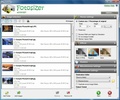
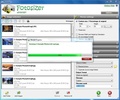
Fotosizer is a free application that allows you to process groups of pictures and apply them the same effect with just one click.

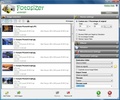
You can resize all selected photos to the same size or perform a change according to percentage ratio. You can even invert width and height depending n the orientation of the photo.

Advertisement
Remove ads and more with Turbo

Fotosizer is also capable of keeping the aspect ratio of pictures, decrease quality, convert them into B/W and rotate them.

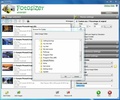
You only have to choose the folder where pictures are stored in, the output folder and the conversion you want to apply. It's that easy!

Formats supported by Fotosizer are the following: JPEG, BMP, PNG, TGA and GIF.

Information about Fotosizer 3.23.0.595

Basic information

Developer Fotosizer.com
Category Image Tools
Rating All ages
Languages English

Distribution model

Pricing Free
License Proprietary
Copyright © 2026 Fotosizer.com
Why is this app published on Uptodown? (More information)

Security and privacy

Required permissions Not applicable
See security and antivirus report

Download info

Downloads 103,694
Date Aug 3, 2026
File type EXE
Size 5.69 MB
SHA256 46eb33ffc34ba601123cb18c90bb9490ec6b0ab2c105c4a759bf3a90856307bb
Advertisement
Remove ads and more with Turbo

Older versions

See more
exe 3.21.0.594 Dec 12, 2025
exe 3.20.1.592 Nov 4, 2025
exe 3.20.0.590 Oct 20, 2025
exe 3.18.0.585 Apr 25, 2024
exe 3.17.2.584 Apr 17, 2023
exe 3.15.0.579 Jul 5, 2022

Rate this App

Review the app
Fotosizer icon

Rating

3.0
5
4
3
2
1
2 reviews

Comments

There are no opinions about Fotosizer yet. Be the first! Comment

Advertisement
Remove ads and more with Turbo
ibis Paint icon
Unleash your imagination in this drawing app
HEIF Image Extensions icon
Official extension for opening files in HEIF format in Windows
Paint icon
The Windows drawing tool
Android Screen Unlock(4uKey) icon
Remove screen lock passwords from Android devices
Inkscape icon
Open source vector graphics editor
RAW Format Extension icon
Adds support for RAW files
Android System Repair icon
Android System Repair Tool: Fix 50+ System Issues with One Click
Winxvideo AI icon
AI-powered video/image enhancer & converter
Picasa icon
Organize and view all your pictures easily
Adobe Photoshop Lightroom icon
Edit your digital pictures with this elegant tool
Adobe Photoshop icon
Professional photo editing from Adobe
DaVinci Resolve icon
The most powerful and complete post-production video tool for PC
Paint 3D icon
Create 3D designs with all kinds of features
Adobe Illustrator icon
Create logos, illustrations, and designs with this powerful editor
SketchUp Pro icon
Easy, fast 3D modeling tool
ibis Paint icon
Unleash your imagination in this drawing app